

search icon

Save hours of admin time using AutoEntry and Sage Accounting

There's a faster way to capture, automatically categorise, and publish financial documents such as receipts, invoices, and bank statements to your accounting software. With AutoEntry you can capture receipts and data easily from your desktop or device.

Discover the benefits of AutoEntry software for receipt capture

Save time

Snap and post receipts instead of typing them out. Set up auto-coding and auto-publish to automate the entire process. You simply drag, drop and get back to business.

Increase accuracy

Eliminate manual errors that create end-of-month headaches. All entries are verified for accuracy and can be reviewed prior to publishing.

Go paperless

All of your uploads are saved to the cloud so you can quickly find past receipts, maintain an audit trail and keep tabs on your expenses.

Upload a document to AutoEntry

Drag and drop digital files online or quickly snap and capture images of documents and receipts with your phone for quick analysis and upload. Upload a breadth of documents including purchases, sales, employee expenses and supplier, credit card, and bank statements.

Flexible pricing

Purchase credits to be used however you need with our usage-based, pay-as-you-go pricing.

AutoEntry

Great for sole traders and start-ups
£12 +VAT/mo

Basic features include:

1 credit: Invoices (purchases or sales), bills, and receipts.

2 credits: Invoices (purchases or sales), bills, and receipts with line items extracted and supplier/vendor statements.

3 credits: Bank and credit card statements, per page.

  • Accurate capture and analysis of bank and credit card statements, bills, invoices, receipts and more, from any device
  • Full line item capture and line item rules
  • Create and send sales invoices

Autoentry FAQs

AutoEntry is automated data capture and entry software. It allows you to capture data from receipts and documents from your mobile device or desktop, and then automatically categorise and sync that data with your accounting software, like Sage Accounting for example.

AutoEntry analyses and automatically categorises data captured directly from documents and images you upload from your mobile device or desktop. It integrates with many accounting solutions like Sage Accounting to sync this data and streamline and automate bank reconciliations.

Sage AutoEntry is fully integrated data capture and entry software. It allows you to automate data capture and entry, and integrates with accounting software like Sage Accounting to streamline accounting tasks like bank reconciliation.

Sage Accounting mobile app

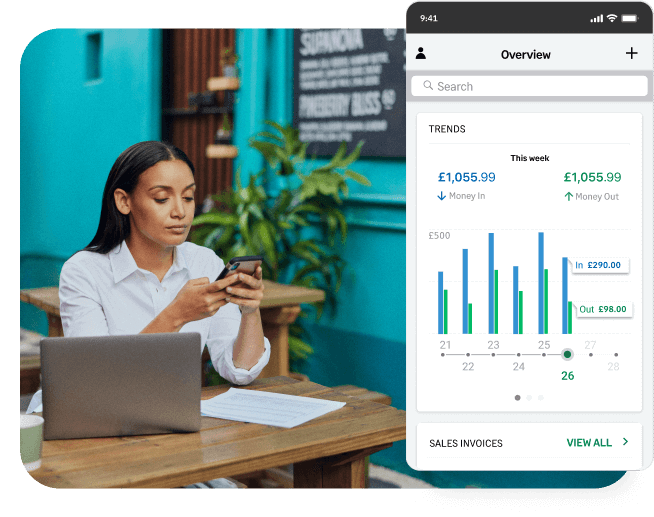
Free with every subscription - the Sage mobile app works alongside your Sage Accounting, helping you control your business while you’re on the move.


Get Sage Advice on data entry automation

Read articles, reports, and blog posts to get the latest on how AutoEntry can automate data capture and digitisation of your documents.

Government grants for small businesses to help your UK venture

Government grants for small businesses to help your UK venture

Explore government grants for small businesses to find out how new and growing ventures in the UK can secure funding that doesn’t have to be repaid.

Read more
Read more
How to scale a business, not just grow it

How to scale a business, not just grow it

Learn how to scale a business, not just grow it, and maintain profitability by strengthening cash flow, systemising processes, and controlling costs.

Read more
Read more
How Sage Payroll supports Darwin Education: A not-for-profit using sport to transform young lives

How Sage Payroll supports Darwin Education: A not-for-profit using sport to transform young lives

Mainstream school doesn't work for every child. Natalie Wilsher founded Darwin Education to prove it doesn't have to, using sport, trust, and timetables built around each individual young person.

Read more
Read more
Late payments: How to get clients to pay on time

Late payments: How to get clients to pay on time

Get paid faster by learning how to set clear terms and using automated payment tools for invoicing. By reducing late payments, you can protect your cash flow.

Read more
Read more
Business owner burnout: 5 tips to manage your wellbeing when running a business 

Business owner burnout: 5 tips to manage your wellbeing when running a business 

Business owner burnout is all too common, but it can be avoided. Learn to spot the signs, then use these stress management and self-care tips to stay well.

Read more
Read more
How Sage’s suite of embeddable APIs works and why this matters now

How Sage’s suite of embeddable APIs works and why this matters now

Banks, fintechs, and SaaS platforms are expected to handle accounting, tax, and payroll in-app. Sage Embedded Services delivers those capabilities.

Read more
Read more
How to develop a business plan for self-employment

How to develop a business plan for self-employment

For the self-employed, a business plan can help guide you toward success. Learn tips for freelancers, independent contractors, consultants, and sole traders.

Read more
Read more
How to write a business quote (free quote template to download now)

How to write a business quote (free quote template to download now)

Not sure what to put in a business quote? This guide covers what to include, how quotes differ from estimates, and includes a free template.

Read more
Read more

Ready to get started?

Whether you're a sole trader, a micro-business, or a small business seeking automated data entry solutions, Sage Accounting has you covered.