

search icon

Save hours of admin time using AutoEntry and Sage Accounting

There's a faster way to capture, automatically categorise, and publish financial documents such as receipts, invoices, and bank statements to your accounting software. With AutoEntry you can capture receipts and data easily from your desktop or device.

Discover the benefits of AutoEntry software for receipt capture

Save time

Snap and post receipts instead of typing them out. Set up auto-coding and auto-publish to automate the entire process. You simply drag, drop and get back to business.

Increase accuracy

Eliminate manual errors that create end-of-month headaches. All entries are verified for accuracy and can be reviewed prior to publishing.

Go paperless

All of your uploads are saved to the cloud so you can quickly find past receipts, maintain an audit trail and keep tabs on your expenses.

Upload a document to AutoEntry

Drag and drop digital files online or quickly snap and capture images of documents and receipts with your phone for quick analysis and upload. Upload a breadth of documents including purchases, sales, employee expenses and supplier, credit card, and bank statements.

Flexible pricing

Purchase credits to be used however you need with our usage-based, pay-as-you-go pricing.

AutoEntry

Great for sole traders and start-ups
£12 +VAT/mo

Basic features include:

1 credit: Invoices (purchases or sales), bills, and receipts.

2 credits: Invoices (purchases or sales), bills, and receipts with line items extracted and supplier/vendor statements.

3 credits: Bank and credit card statements, per page.

  • Accurate capture and analysis of bank and credit card statements, bills, invoices, receipts and more, from any device
  • Full line item capture and line item rules
  • Create and send sales invoices

Autoentry FAQs

AutoEntry is automated data capture and entry software. It allows you to capture data from receipts and documents from your mobile device or desktop, and then automatically categorise and sync that data with your accounting software, like Sage Accounting for example.

AutoEntry analyses and automatically categorises data captured directly from documents and images you upload from your mobile device or desktop. It integrates with many accounting solutions like Sage Accounting to sync this data and streamline and automate bank reconciliations.

Sage AutoEntry is fully integrated data capture and entry software. It allows you to automate data capture and entry, and integrates with accounting software like Sage Accounting to streamline accounting tasks like bank reconciliation.

Sage Accounting mobile app

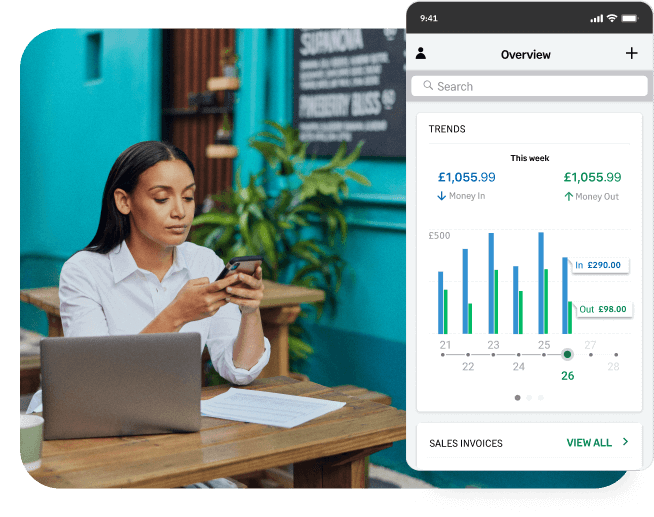
Free with every subscription - the Sage mobile app works alongside your Sage Accounting, helping you control your business while you’re on the move.


Get Sage Advice on data entry automation

Read articles, reports, and blog posts to get the latest on how AutoEntry can automate data capture and digitisation of your documents.

Is Black Friday 2026 actually worth it for my small retail business?

Is Black Friday 2026 actually worth it for my small retail business?

Black Friday is worth it only if your margin, stock and capacity can take the strain. Here's the five-question test so you can find out.

Read more
Read more
Black Friday 2026: 11 expert tips to sell more

Black Friday 2026: 11 expert tips to sell more

Read our advice for a high-performing Black Friday across online stores, Vinted, Debop, eBay, high-street shops, and market stalls.

Read more
Read more
How much can I afford to discount on Black Friday 2026? (Worked examples included)

How much can I afford to discount on Black Friday 2026? (Worked examples included)

Black Friday 2026 lands on 27 November. Here's how to find your real discount floor once fees, postage, ads, and returns have taken their cut.

Read more
Read more
Allowable expenses for creative freelancers: What can you claim? 

Allowable expenses for creative freelancers: What can you claim? 

Software, studio hire, a new laptop, or coffee while you work: Which costs count as business expenses? Here's what you need to know.

Read more
Read more
Can I afford this? A freelancer’s guide to spending during a quiet month 

Can I afford this? A freelancer’s guide to spending during a quiet month 

When work slows down, even a small purchase can feel difficult to judge. Here’s how to check what you can afford.

Read more
Read more
How much should a freelancer put aside for tax? 

How much should a freelancer put aside for tax? 

it's a tricky question—but there's a clear answer. Read on to learn more and to ensure you don't get it wrong.

Read more
Read more
How to manage feast-or-famine income as a freelancer

How to manage feast-or-famine income as a freelancer

Being a freelancer means income surges—but also no income at all for periods. Here's how to manage the ups and downs, and stay in the green.

Read more
Read more
Freelancer tax terms explained in plain English 

Freelancer tax terms explained in plain English 

You didn't go into creative freelancing to learn accounting. So, here's your cheat sheet for tax terminology. Become an instant expert!

Read more
Read more

Ready to get started?

Whether you're a sole trader, a micro-business, or a small business seeking automated data entry solutions, Sage Accounting has you covered.